
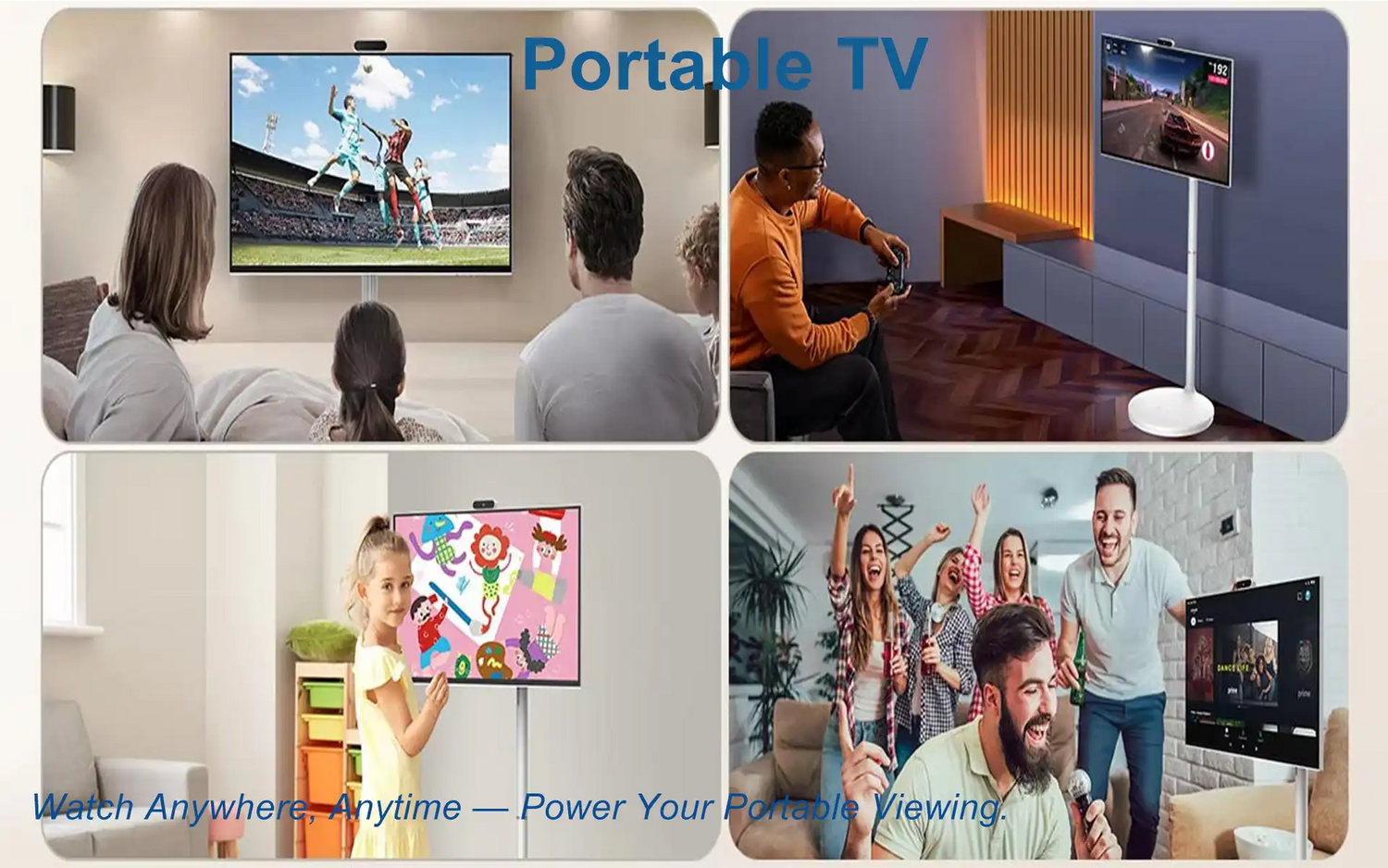
Everything you need to evaluate, choose, deploy, and maintain a portable TV in 2025, from display technology and battery life to connectivity, outdoor visibility, and practical use cases.
What Is a Portable TV in 2025?
A portable TV in 2025 is a self-contained, lightweight display device with integrated power, speakers, tuners, and smart connectivity for mobile viewing. Compared with conventional televisions, modern portable TVs focus on battery operation, wireless streaming, compact size, and flexible installation.
These products often sit between a large-screen tablet and a traditional television. Many models include HDMI and USB-C inputs for consoles, cameras, or external media devices, while also supporting smart streaming and wireless casting.
Typical size ranges extend from about 10 to 24 inches, with options spanning HD, Full HD, and in some cases higher-resolution formats. Outdoor-oriented and industrial variants may also include anti-glare surfaces, durable housings, and more specialized mounting support.

Evolution and Why Portable TVs Are Surging
The category has grown quickly because of advances in three areas: display technology, battery efficiency, and software ecosystems. Brighter panels, denser lithium batteries, and mature streaming platforms have made portable TVs much more practical than earlier generations.
At the same time, user behavior has changed. More people now expect content access in kitchens, on patios, during travel, and in temporary commercial environments. Portable TVs fit those scenarios because they can be deployed quickly without permanent wiring or a fixed location.
They have also gained traction in business, education, and event settings where battery-powered, quick-start screens are useful for training, demonstrations, and temporary signage.

Key Features and Core Specifications
Specifications can vary widely across the market, but the table below provides a practical baseline for evaluating portable TV products.
| Category | Typical Range or Options | What to Look For |
|---|---|---|
| Screen Size and Resolution | 10 to 24 inches, HD to higher-resolution formats | Full HD is often a practical minimum for mid-size screens |
| Panel Type | IPS LCD, OLED, Mini-LED | Wide viewing angles and strong brightness for flexible use |
| Brightness and Surface Treatment | Moderate to high brightness with anti-glare options | Higher brightness is better for daylight and outdoor use |
| Battery and Runtime | Integrated battery packs with variable runtime | USB-C PD charging and realistic battery expectations |
| Audio | Built-in stereo speakers, headphone output, Bluetooth audio | Front-facing sound design and cleaner speech clarity |
| Connectivity | HDMI, USB-C, Wi-Fi, Bluetooth, hotspot compatibility | At least one wired video input plus stable wireless support |
| Smart Platform | Android TV, Google TV, Roku, or other smart systems | App support, update policy, and casting compatibility |
| Durability | Protective housings, splash resistance, reinforced corners | Better survivability for travel and field use |
Display Technology: LCD, IPS, OLED, Mini-LED

IPS LCD
IPS LCD remains a common choice because it offers wide viewing angles, balanced cost, and stable color performance. It is particularly useful when the screen may be viewed from different positions, such as in kitchens, campsites, or group settings.

OLED
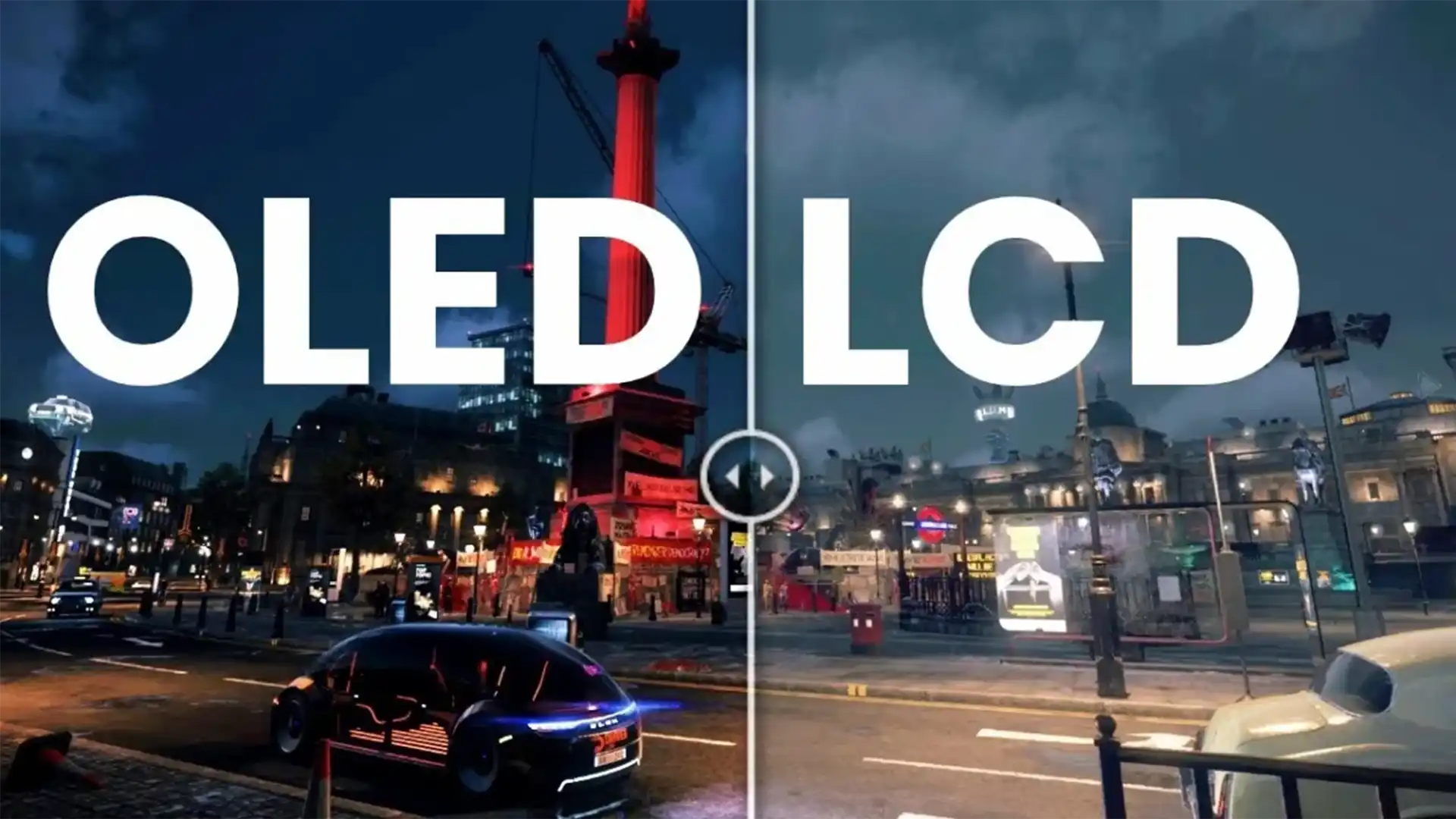
OLED is valued for deep black levels, strong contrast, and fast response. It is especially attractive for night viewing and cinematic content. However, users should also consider long-term static-image behavior and power characteristics in bright interface-heavy use.
Mini-LED
Mini-LED solutions can improve brightness and HDR impact compared with standard LCD designs. For users who prioritize outdoor visibility or more dynamic highlight control, this class can offer meaningful benefits, although it may come at higher cost and weight.
Audio, Tuners and Smart OS
Audio quality matters more than many buyers expect. Compact enclosures can easily sound thin, so speaker direction, chamber design, and processing quality have a major effect on usability. Portable TVs with stronger built-in audio reduce the need for external speakers in everyday situations.
Some models also include broadcast tuners, while others rely entirely on internet streaming. On the software side, popular smart systems differ in app availability, user interface style, and update support. Buyers should check whether the platform supports the casting methods and streaming services they use most often.

Battery Life, Charging and Power Profiles
Actual runtime depends on brightness level, audio volume, wireless streaming activity, and the type of content being played. A portable TV may last only a few hours under heavier use or significantly longer under more conservative settings.
- Eco modes: These can reduce power draw by limiting backlight intensity.
- Auto brightness: Useful for balancing visibility and battery efficiency.
- USB-C PD charging: Helpful for faster charging and compatibility with power banks or car adapters.

Connectivity: HDMI, USB-C, Wi-Fi and 5G
The most versatile portable TVs combine HDMI input, USB-C video support, dual-band Wi-Fi, and Bluetooth. This allows the screen to serve both as a smart entertainment display and as an external monitor for consoles, laptops, or cameras.
For mobile networking, hotspot compatibility and stable 5 GHz wireless support are especially useful. Users working with cameras or gaming hardware should also pay attention to latency behavior and supported input formats.

Ruggedness, Outdoor Readability and Mounting
Outdoor-capable models often focus on impact resistance, better grip design, brighter anti-glare screens, and more flexible mounting options. Features such as VESA compatibility, tripod sockets, or strap points can be important depending on whether the device will be used in vehicles, on patios, or in fieldwork environments.
For outdoor viewing, physical shading and glare control matter almost as much as brightness. Even a capable display can become difficult to read if reflections are not managed properly.
Applications and Use Cases
Home and Personal Use
- Kitchen and workshop: Useful for tutorials, recipes, background viewing, or live sports.
- Kids and learning: Portable viewing with simpler placement and controlled access.
- Guest rooms: A temporary screen solution without permanent installation.
Outdoor and Travel Use
- Camping and RV: Suitable for battery-powered entertainment in mobile settings.
- Tailgating and sports: Helpful for live viewing in temporary outdoor spaces.
- Patio or beach use: Better suited than many indoor-only display types when brightness and protection are adequate.
Professional and Educational Use
- Pop-up retail: Useful for promotional playback and temporary displays.
- Field training and events: Quick deployment without permanent infrastructure.
- Production preview: Can function as a portable client or camera display where supported.
Portable TV vs Tablets, Projectors and Monitors
| Device | Advantages | Limitations | Best Fit |
|---|---|---|---|
| Portable TV | Larger screen, stronger speakers, dedicated inputs, better outdoor practicality | Heavier than tablets and usually less compact | Travel entertainment, RV use, temporary viewing, portable signage |
| Tablet | Highly portable, touch-first, broad app ecosystems | Smaller screen and less flexible wired video support | Personal viewing and casual mobile use |
| Mini projector | Can produce a much larger image | Works best in controlled lighting and often has weaker audio | Movie nights in darker environments |
| Portable monitor | Thin, light, and strong for laptop extension | Usually lacks battery, tuner, and strong standalone media features | Productivity and external display tasks |
Buying Guide and Decision Checklist
1. Where will the portable TV be used?
Outdoor use puts more emphasis on brightness, anti-glare coating, battery life, and physical durability. Indoor use may place more value on audio quality, color balance, and software convenience.
2. What type of content will be watched?
Sports, movies, gaming, and educational use all emphasize different priorities. Some buyers need stronger motion handling and brighter daylight performance, while others care more about contrast and sound.
3. How will devices connect?
Check for HDMI input, USB-C video support, wireless casting, and compatibility with the sources you actually use, such as consoles, phones, laptops, or cameras.
4. What battery runtime is really needed?
Long trips and off-grid use require more than a marketing number. It is important to think about actual viewing time under realistic brightness and volume levels.
5. How important are durability and support?
If the product will be used in travel, outdoor work, or commercial environments, housing strength, warranty terms, and service support become much more important.

Setup, Signal Optimization and Picture Tuning
- Network placement: Use stable Wi-Fi positioning for better streaming consistency.
- Cable management: Shorter, reliable cables can reduce handshake and scaling issues.
- Picture modes: Start with the most natural mode and adjust brightness for the environment.
- Audio tuning: Speech enhancement and external audio pairing can improve clarity when needed.
Care, Maintenance and Troubleshooting
Use a microfiber cloth for routine cleaning and avoid harsh chemical solvents. If the device will be stored for an extended period, partial battery charge is often preferable to full or empty storage. When signal dropouts or visual issues occur, test cables, input sources, wireless conditions, and firmware version before assuming hardware failure.
Sustainability and Compliance
Many portable TV designs now emphasize lower-power processing, more efficient packaging, and compliance-oriented materials. Energy-saving modes and automatic sleep behavior can also help reduce power use while extending service life.
Custom and OEM Portable TV Solutions
For brands, system integrators, and commercial buyers, custom portable TV development can include adjustments to display size, panel type, brightness, battery configuration, enclosure design, and interface selection. OEM and ODM programs may also cover mechanical design, firmware customization, certification support, and longer lifecycle planning.

FAQ
Is a portable TV better than a tablet for travel entertainment?
If you want a larger screen, stronger speakers, and dedicated video inputs, a portable TV is usually the better entertainment device. Tablets are lighter and more app-centric, but they are often less immersive for shared viewing.
How many hours does a portable TV usually last on battery?
Battery life varies widely depending on screen size, brightness, sound level, and streaming behavior. Many products fall somewhere between short-session use and most-of-an-evening use, depending on settings.
Can portable TVs handle 4K and HDR?
Some higher-end models can support advanced video formats, but the real experience depends on the panel, brightness capability, and tone-mapping quality rather than format support alone.
Do I need a tuner or is streaming enough?
If your usage is entirely internet-based, streaming may be enough. If you want access to broadcast signals without internet, tuner support can be an important feature.
What connectivity is essential for a portable TV?
For most users, a strong combination includes HDMI input, USB-C video support, dual-band wireless connectivity, Bluetooth audio, and practical casting options for phones and tablets.
How do I improve outdoor visibility?
Choose a brighter screen, reduce direct reflections, use shade whenever possible, and prefer anti-glare surface treatments for more comfortable daylight viewing.


コメントを書く
このサイトはhCaptchaによって保護されており、hCaptchaプライバシーポリシーおよび利用規約が適用されます。