
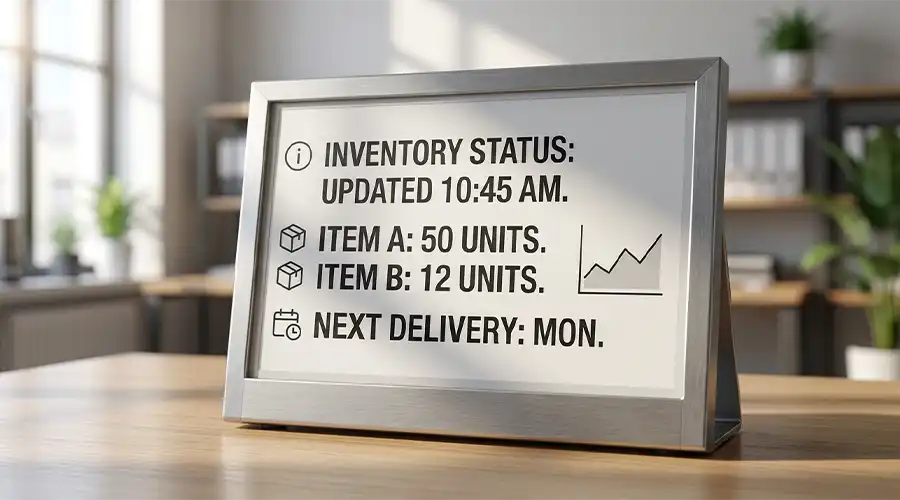
E-Paper displays have become an important option for products that need low power consumption, high readability, and a paper-like viewing experience. From electronic shelf labels and smart tags to industrial devices and office signage, this display technology is increasingly used in applications where static or slowly changing information matters more than video or animation. If you are evaluating display options for a retail, commercial, or OEM project, understanding how E-Paper works is the first step toward choosing the right solution.
In this guide, we will explain what an E-Paper display is, how it works, where it performs best, what its limitations are, and why it is often chosen for battery-powered products. We will also compare E-Paper with traditional display technologies and outline the key points engineers, buyers, and product teams should consider during selection.
What Is an E-Paper Display?
An E-Paper display, also called an electronic paper display, is a reflective display technology designed to imitate the visual appearance of ink on paper. Unlike LCD or OLED screens, which usually rely on emitted light or a backlight to make content visible, E-Paper reflects ambient light from the surrounding environment. This is one of the main reasons why it feels more comfortable to read in bright conditions and why it remains easy to see under strong indoor lighting or sunlight.
The biggest functional difference between E-Paper and most conventional displays is that E-Paper is optimized for static or low-refresh content. Once an image, number, label, or interface is updated on the screen, the display can keep showing that information without requiring continuous power in many designs. Power is mainly needed when the content changes. This feature makes E-Paper especially attractive for battery-powered devices that must run for months or even years between charges or battery replacements.
In practical terms, E-Paper is widely used in products such as electronic shelf labels, smart badges, industrial status displays, healthcare information panels, room signage, warehousing labels, and portable low-power devices. It is not intended to replace high-speed, full-motion displays in every application. Instead, it serves a very specific role: delivering clear, stable, readable information with minimal energy use.

How Does an E-Paper Display Work?
To understand why E-Paper uses so little power, it helps to look at the basic display principle. Many E-Paper displays use electrophoretic technology. Inside the display layer are microscopic particles or microcapsules containing charged pigment particles. When an electric field is applied, these particles move in a controlled way to the top or bottom of the display layer. Their position determines what the viewer sees on the surface.
In a simple black-and-white E-Paper display, white particles and black particles respond differently to electrical signals. If the white particles are brought to the visible surface, that pixel appears white. If the black particles are moved to the surface, that pixel appears black. By controlling thousands or millions of pixels in this way, the system can form text, icons, numbers, symbols, and even images.
In color E-Paper displays, the principle becomes more complex. Depending on the display structure, color can be created through additional pigment systems, filters, or layered approaches. The exact color performance, refresh behavior, and visual result depend on the panel design. This is why color E-Paper selection usually requires more attention to application requirements than standard monochrome modules.
One of the most important characteristics of E-Paper is bistability in many implementations. This means the display can maintain an image even after power is removed from the active update process. In other words, the screen does not need constant electrical driving to keep a static page or label visible. That is the technical foundation behind the low-power reputation of E-Paper.
However, the update process itself takes time. E-Paper is usually much slower than LCD when switching content. A full refresh may involve visible transition behavior, and partial refresh performance depends on panel type, driving method, and content pattern. This is normal and acceptable in applications where the displayed information changes occasionally rather than continuously.
Key idea: E-Paper does not try to compete with video displays. Its strength is efficient, readable, paper-like presentation for static or slowly changing content.
Key Benefits of E-Paper Displays
1. Ultra-Low Power Consumption
The most widely known benefit of E-Paper is low power consumption. Because power is primarily needed during content updates rather than continuous display holding, E-Paper modules are well suited for products with strict energy budgets. This can reduce battery replacement frequency, simplify product maintenance, and support longer deployment cycles in remote or distributed systems.
For example, in retail shelf labeling, a display may only need to update pricing or product information a few times per day. In this situation, E-Paper offers a major power advantage compared with display technologies that require ongoing illumination or active refreshing.
2. Excellent Readability in Bright Light
Because E-Paper is reflective rather than emissive, it performs very well in bright ambient light. Instead of being washed out by sunlight, it often becomes easier to read when more light is available. This makes it highly suitable for store environments, office spaces, public information panels, and other scenarios where readability under natural or strong lighting matters.
3. Paper-Like Viewing Comfort
Many users describe E-Paper as more natural and less visually tiring for long reading sessions or repeated information checking. While the exact user experience depends on product design, the paper-like appearance and reduced glare can be an advantage in applications involving text, schedules, labels, medical data, or product details.
4. Wide Viewing Angle
E-Paper displays often provide broad viewing angles, which is useful when information must be seen clearly from different positions. In retail, warehousing, public areas, or multi-user settings, this improves usability without requiring careful screen alignment.
5. Stable Image Retention
A key functional advantage is the ability to retain the displayed image after the update is complete. This makes E-Paper effective for labels, signs, room schedules, equipment status displays, and other information surfaces where content remains stable for extended periods.
6. Good Fit for Clean, Minimalist Product Design
E-Paper works especially well in products that need a clean, simple, information-first interface. Instead of emphasizing animation or rich media, it supports calm, focused communication. For many B2B devices, that is an advantage rather than a limitation.
Limitations of E-Paper Technology
Although E-Paper offers clear advantages, it is not the right solution for every display requirement. Understanding its limitations is just as important as understanding its strengths.
1. Slower Refresh Rate
E-Paper is not designed for high-speed screen updates. Compared with LCD or OLED, refresh is slower and more visible. This makes it unsuitable for smooth video playback, fast animations, or highly interactive graphical interfaces that require real-time response.
2. Limited Video Suitability
If your product requires moving images, live dashboards with frequent rapid updates, or media-rich user interaction, E-Paper will usually not be the best choice. It performs best when information changes occasionally or in a controlled pattern.
3. Color Performance Constraints
Color E-Paper continues to improve, but it still serves a different role from full-color LCD or OLED displays. If your project depends on vivid color reproduction, dynamic UI graphics, or high-saturation visual media, traditional display technologies may be more suitable.
4. Possible Ghosting or Refresh Artifacts
In some applications, E-Paper displays may show residual traces from previous images, depending on the panel type, refresh method, and update strategy. Product designers usually address this through driving optimization, refresh routines, and content planning, but it remains a factor to consider during system development.
5. Application-Specific Integration Requirements
E-Paper module selection is not only about the screen itself. Developers also need to consider controller compatibility, refresh logic, interface design, environmental conditions, mechanical mounting, and overall user expectations. Choosing the right module often requires balancing readability, update frequency, power goals, and product cost.
Common Types of E-Paper Displays
E-Paper is not a single uniform product category. Different panel types serve different goals, and understanding the basic categories helps simplify early-stage selection.
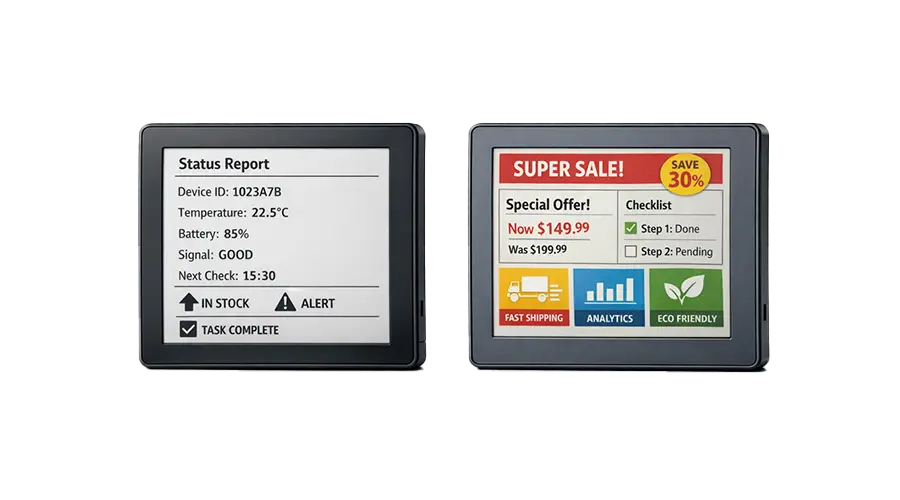
Black and White E-Paper
Black-and-white E-Paper is one of the most common and practical options. It is highly suitable for text, barcodes, numbers, icons, and simple status information. In many cases, it provides strong contrast, clear readability, and efficient operation for battery-powered products.
Three-Color E-Paper
Some E-Paper displays add a third color, often used to highlight warnings, promotions, categories, or priority information. This type is popular in electronic shelf labels and smart tags because it allows simple visual emphasis without moving to more complex full-color display systems.
Color E-Paper
Color E-Paper expands visual communication by enabling richer information presentation. It is increasingly used in retail, office signage, public information systems, and products where branding or category differentiation matters. Selection should consider color behavior, ambient-light conditions, and content update requirements.
Flexible or Custom E-Paper Modules
For OEM and ODM projects, custom module development may involve display size, resolution, touch integration, front surface design, mounting structure, interface layout, or enclosure adaptation. These custom solutions are useful when standard off-the-shelf modules do not fully match the product design.
Common Applications of E-Paper Displays
E-Paper is best understood through its use cases. Its value becomes very clear when the application requires long battery life, stable readability, and low maintenance.
Electronic Shelf Labels
Retail is one of the most established E-Paper application areas. Electronic shelf labels use E-Paper to display pricing, product names, specifications, stock cues, promotions, and digital shelf information. Because these labels do not need constant screen activity, E-Paper provides an efficient and scalable solution.
Smart Tags and Identification Badges
E-Paper is also suitable for employee badges, visitor cards, smart nameplates, and asset tags. In these cases, clear visibility and low power are often more important than fast animations or complex interfaces.
Industrial Displays
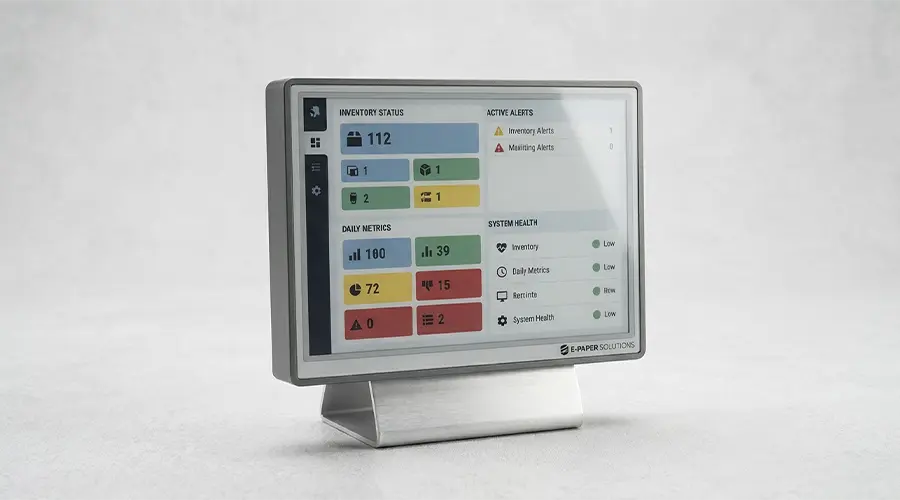
In industrial environments, E-Paper can be used for machine status indicators, handheld device screens, production labels, warehousing labels, and process-related displays. Its readability and power efficiency can simplify operations, especially when information remains unchanged for long periods.
Medical and Healthcare Devices
Healthcare applications may include bedside information panels, patient identification, portable equipment status displays, and medical labeling. The paper-like appearance can help present essential information in a clean and readable format.
Office and Commercial Signage
Meeting room signs, desk labels, wayfinding panels, visitor guidance signs, and scheduling displays are all common use cases. Since these systems often update only occasionally, E-Paper helps combine modern digital functionality with minimal power demand.
Smart Home and IoT Interfaces
Battery-powered control panels, thermostat information windows, low-power companion displays, and minimalist IoT interfaces can benefit from E-Paper. In such designs, the display acts as a quiet information layer rather than a media screen.

How to Choose the Right E-Paper Display
Selecting the right E-Paper display is not just about finding a screen size. A good match depends on how the product will be used, how often the information changes, and what the system needs to achieve over time.
Screen Size
Start with the required visible area and viewing distance. Small modules may be ideal for labels and tags, while medium and large formats are better for room signs, public notices, or information boards. The size should match both content layout and installation space.
Resolution and Readability
Consider how much information the screen needs to show. Text-heavy applications may need higher resolution for cleaner fonts and denser layouts. If the display mainly shows simple symbols or price information, the balance between size and resolution may be more flexible.
Monochrome or Color
If your content relies on clear black-and-white communication, monochrome E-Paper may be the most efficient choice. If visual hierarchy, category highlighting, or brand expression is important, color E-Paper may offer better communication value.
Update Frequency
One of the most important questions is how often the content changes. If the display updates only occasionally, E-Paper is usually a strong candidate. If your interface needs frequent rapid refresh, another display technology may be more suitable.
Interface and System Integration
The display must fit the electronics architecture. Interface type, controller compatibility, power design, software support, and refresh logic all affect development efficiency and performance. For OEM projects, these factors should be reviewed early.
Operating Environment
Evaluate whether the product will be used indoors, in bright commercial spaces, in semi-outdoor conditions, or in industrial settings with temperature and mechanical constraints. Environmental fit is critical for long-term reliability.
Mechanical Structure and Product Design
The final product may require specific thickness limits, connector orientation, cover lens options, touch integration, frame design, or mounting requirements. These details matter especially in custom module development.
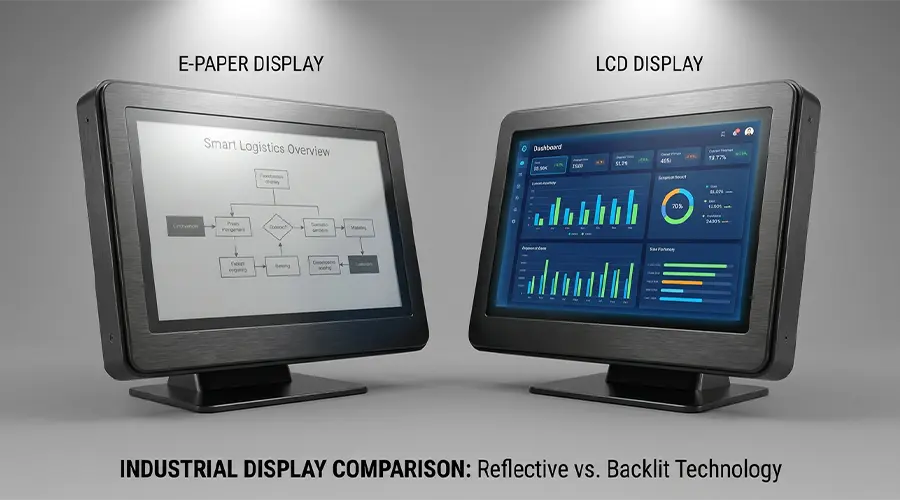
E-Paper vs Traditional Display Technologies
E-Paper should be compared with traditional display technologies based on application goals, not just display specifications. Each technology has strengths, and the right answer depends on how the device will actually be used.
| Feature | E-Paper | LCD | OLED |
|---|---|---|---|
| Power Usage | Very low for static content | Higher due to backlight and active operation | Varies by content, but generally for active dynamic displays |
| Sunlight Readability | Excellent | Can be challenging depending on brightness and design | Typically less ideal in strong bright light than reflective displays |
| Refresh Speed | Slow | Fast | Very fast |
| Video Capability | Limited | Good | Excellent |
| Viewing Experience | Paper-like and reflective | Backlit and bright | High contrast and vivid |
| Best Use Cases | Labels, signage, low-power static information | General user interfaces, instruments, consumer electronics | Rich graphics, premium interfaces, media content |
In short, E-Paper is usually the better option when the product requires long battery life, excellent ambient-light readability, and stable display of mostly static information. LCD and OLED are generally better when speed, animation, interaction, or rich color performance are more important than ultra-low energy consumption.
Future Trends in E-Paper Technology
E-Paper technology continues to expand beyond its early association with e-readers. Today, the market is seeing broader demand across retail digitization, industrial labeling, smart office systems, healthcare equipment, and connected low-power devices. This trend is pushing module development in several important directions.
Larger Display Formats
Larger E-Paper screens are becoming increasingly relevant for signage, information boards, scheduling systems, and commercial communication surfaces. As size options grow, the technology becomes more useful in public and semi-public environments.
Improved Color Capability
Color E-Paper is drawing more attention as companies look for low-power alternatives for communication-rich applications. Better color expression can expand the role of E-Paper in branding, promotion, public information, and visual hierarchy design.
More IoT and Smart System Integration
As connected devices become more common, E-Paper fits naturally into systems that need a readable interface without sacrificing battery life. This includes smart labels, distributed sensors, office signs, logistics tools, and low-maintenance companion displays.
Greater Customization Demand
OEM and ODM customers increasingly need displays that fit specific product structures, interface constraints, and interaction requirements. As a result, custom E-Paper modules with tailored mechanical, optical, and electronic design features are becoming more important in the B2B market.
Conclusion
E-Paper displays are not a universal replacement for LCD or OLED, but they are highly effective in the right application. Their ability to show stable information with very low power consumption makes them especially valuable in retail, industrial, office, medical, and battery-powered product designs. When readability, energy efficiency, and a paper-like viewing experience matter more than animation or video, E-Paper becomes a strong display choice.
For product teams, engineers, and sourcing managers, the best way to evaluate E-Paper is to start with the application itself. Consider how often the content changes, where the screen will be used, how much power is available, and what kind of viewing experience the end user needs. Once those requirements are clear, it becomes much easier to decide whether a standard or custom E-Paper display is the right fit.
Need the Right E-Paper Display for Your Project?
If you are evaluating E-Paper modules for retail, industrial, medical, office, or OEM applications, you can build internal links here to your Shopify collection pages, custom display pages, or inquiry page.
Suggested internal links: E-Paper Display Collection / Color E-Paper / Black and White E-Paper Mars/ Custom E-Paper Modules / Contact UschenSM
FAQ
What is the difference between E-Paper and E-Ink?
E-Paper is a general category for electronic paper display technologies, while E-Ink is a well-known brand associated with one of the most recognized electronic paper technologies. In everyday use, many people use the two terms interchangeably, but technically they are not always exactly the same thing.
Does an E-Paper display consume power all the time?
In many applications, E-Paper mainly consumes power when the displayed content changes. Once the image is updated, it can often remain visible without continuous power for image holding. This is one of the main reasons E-Paper is widely used in battery-powered products.
Can E-Paper displays be used outdoors?
E-Paper displays are generally well suited for bright environments and can be very readable in sunlight because they reflect ambient light. However, whether a specific product is suitable for outdoor use depends on the full device design, including enclosure protection, temperature range, sealing, and mechanical durability.
Is E-Paper suitable for video playback?
E-Paper is usually not the best choice for video playback or fast animation. Its main strengths are low power consumption, static image retention, and comfortable readability. For video-rich applications, LCD or OLED is often more appropriate.
What industries use E-Paper displays most?
E-Paper is commonly used in retail, logistics, industrial equipment, office signage, healthcare devices, smart labeling, and battery-powered IoT systems. It is most valuable where information changes occasionally and long power efficiency is important.
How do I choose the right E-Paper display for my product?
Start by reviewing screen size, resolution, monochrome or color needs, update frequency, interface requirements, operating environment, and power budget. If your project has special mechanical or interaction requirements, a custom E-Paper module may be the better solution.

コメントを書く
このサイトはhCaptchaによって保護されており、hCaptchaプライバシーポリシーおよび利用規約が適用されます。