
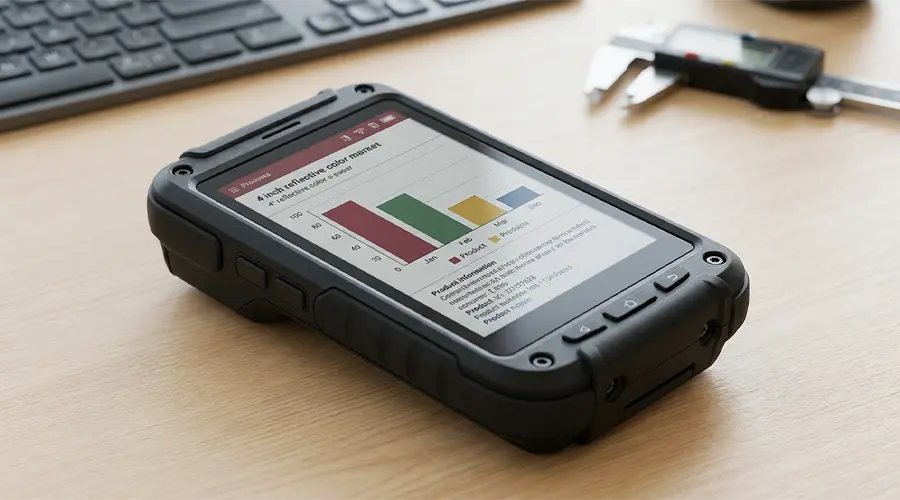
Standard E-Paper modules work well for many applications, but they are not always enough for real product development. In OEM and ODM projects, display requirements often go beyond off-the-shelf options. A project may need a specific active area, a custom outline, a different FPC direction, a touch panel, a cover lens, or a display structure that fits a unique enclosure. In these cases, a custom E-Paper display module becomes the more practical solution.
Demand for custom E-Paper design is growing across smart retail, industrial equipment, healthcare devices, office signage, and logistics systems. Buyers are no longer only comparing screen sizes. They are evaluating how the display fits the full product system, including electronics, mechanics, interaction, durability, and mass production feasibility. This guide explains the main customization points and the design considerations OEM and ODM teams should review before starting a project.
What Can Be Customized in an E-Paper Display Module?
Customization in an E-Paper module can involve much more than screen size. In practical OEM and ODM development, the display often needs to match the product structure, electrical architecture, visual design, and user interaction model. The best custom solution is usually the result of balancing several factors together rather than changing a single parameter.
Display Size
The visible area can be selected to match the product layout and the required content size. Some projects need compact modules for tags or handheld devices, while others require medium or large display formats for room signs, public notices, or equipment panels.
Resolution
Resolution affects text clarity, icon rendering, and content density. A custom design may require a specific pixel structure to support multilingual text, small symbols, detailed schedules, or product data with higher readability expectations.
Front Light or Cover Lens Options
Depending on the application, the front surface may need a protective lens, decorative cover, anti-glare treatment, or a front-light related structural plan. These choices influence optical performance, appearance, thickness, and overall user perception.
Touch Panel Integration
Some E-Paper applications require touch functionality for user interaction. In these cases, capacitive touch integration may be added together with a cover lens or front-surface assembly, depending on industrial design and UI expectations.
FPC Layout and Connector Type
Custom E-Paper modules often need a specific FPC shape, bend direction, pad layout, or connector format to match the control board and internal space constraints. These details are especially important in tightly integrated products.
Housing or Frame Support
Some projects require partial module assembly support, frame adaptation, or a design approach that simplifies installation into the final product housing. Mechanical alignment at this stage can save significant time later in development.

Defining Project Requirements First
Before discussing customization with a supplier, the project team should define the real product requirements as clearly as possible. A display cannot be selected or customized correctly if the system goals are still vague.
Application Scenario
Start with the intended application. A shelf label, medical status display, industrial controller, office room sign, and warehouse tag all have different priorities in size, readability, update behavior, and durability.
Content Type
The display content directly affects module selection. Text-heavy layouts, price tags, barcodes, icons, schedules, or public notices all place different demands on screen size, resolution, and interface design.
Viewing Distance
A display that looks clear on the bench may not work well at the real user distance. The module size, font plan, and layout should always be reviewed together with expected reading distance.
Update Frequency
E-Paper is ideal for static or slowly changing content, but update frequency still influences technology choice, power planning, and user expectations. A display updated a few times per day has different requirements from one updated many times per hour.
Power Budget
Battery type, operating cycle, service interval, and total system power strategy all influence the custom display design. The screen cannot be planned separately from the power architecture.
Environmental Conditions
Indoor use, semi-outdoor installation, factory environments, handling risk, temperature range, and long-term deployment conditions all affect module structure and protection requirements.
Choosing the Right Display Size and Aspect Ratio
Display size is one of the first parameters customers discuss, but the best choice depends on more than just diagonal dimension. The aspect ratio, visible area, and installation constraints are equally important.
Compact Modules
Small custom E-Paper modules are often used in electronic labels, badges, asset tags, portable devices, and compact industrial tools. In these products, every millimeter matters, so panel outline, connector position, and layout efficiency become critical.
Mid-Size Modules
Medium-size modules are common in office signage, medical information displays, smart device panels, and more detailed retail or logistics labels. They often provide a good balance between readability, content space, and integration flexibility.
Large-Format Modules
Larger custom E-Paper displays are used in scheduling boards, public information surfaces, room booking systems, and selected commercial signage applications. In these projects, the relationship between viewing distance and content layout is especially important.
Layout Fit and Installation Constraints
The right aspect ratio should match the interface design and the product enclosure. A custom shape may improve space usage, simplify front panel alignment, and reduce unnecessary bezel area. This is one reason OEM customization can create better product results than forcing a standard module into a non-standard design.
Resolution and Content Planning
Resolution should always be matched to the real content rather than selected as an isolated specification. Higher resolution can improve sharpness, but only if the content actually benefits from it.
Text Clarity
If the module must display small fonts, multilingual text, dense product details, or medical and industrial data, resolution plays a major role in readability. Clean text rendering is often more important than general pixel count in practice.
Icon and UI Layout
Custom modules used in device interfaces may need enough resolution for status icons, structured menus, signal markers, or simple UI blocks. The layout should remain visually clear at the real operating distance.
Image Requirements
Some projects use logos, diagrams, product visuals, or content zones that benefit from better pixel density. Even when E-Paper is not used for dynamic media, image quality can still matter for communication.
Font Size and Readability Considerations
Good readability comes from the combination of display size, resolution, contrast, and font planning. It is often better to optimize the whole interface around real viewing conditions than to rely only on a higher-resolution module.
Engineering reminder: The best custom resolution is the one that matches real content density and user reading distance, not simply the highest possible specification.
Interface and Electronics Integration
Electrical integration is one of the most important parts of a custom E-Paper project. A module that looks correct mechanically still needs to fit the actual control architecture of the product.
SPI
SPI is a common interface approach for many E-Paper modules because it supports practical communication with embedded systems. Interface bandwidth, update logic, and signal routing should all be reviewed based on the expected content behavior.
MCU Compatibility
The display must work with the selected MCU or main control platform. Memory resources, driving sequence management, update timing, and software overhead should be evaluated early to avoid redesign later.
Driver IC Considerations
Driver architecture affects waveform management, refresh behavior, control method, and integration difficulty. A supplier should help confirm whether the chosen display structure aligns with the project’s controller and development resources.
Control Board Requirements
In some projects, the display module is only one part of a broader subsystem. The control board may need to manage power sequencing, data buffering, communication interfaces, or touch functionality. This can affect both PCB design and enclosure planning.
Power System Integration
E-Paper is known for low power consumption, but the full system still needs proper power design. Update current, battery behavior, sleep strategy, and the relationship between the display and the rest of the electronics should be considered together.
Touch Integration and Front Surface Design
Touch and front-surface customization are common in OEM and ODM projects where the display is part of a complete user-facing device rather than a standalone label module.
Capacitive Touch Options
Capacitive touch can be added when the application requires direct user interaction, such as page switching, menu access, confirmation actions, or device control. The touch structure should be matched to the interface design and expected use behavior.
Cover Lens Customization
The front cover may be designed for brand appearance, protection, or easier cleaning. Shape, color printing, edge design, surface treatment, and thickness all influence the final product presentation.
Optical Considerations
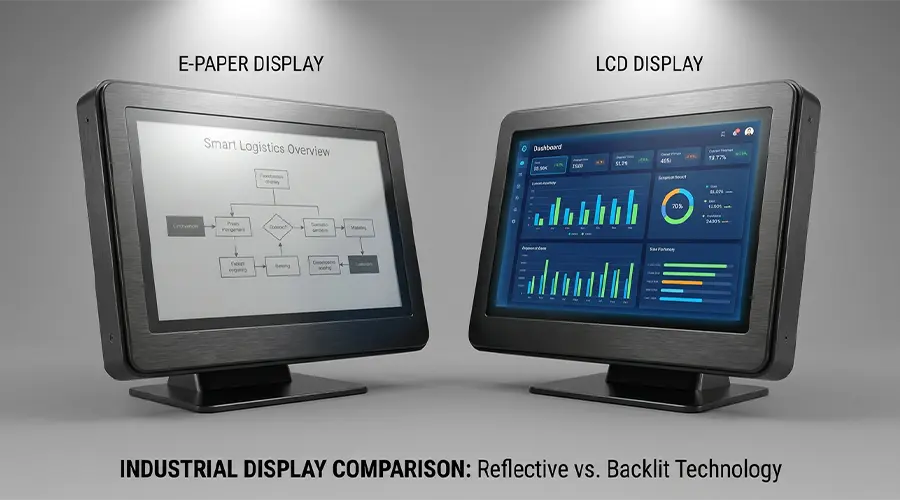
A touch layer or cover lens can change reflectivity, contrast perception, and visual clarity. These effects should be reviewed carefully, especially in applications where ambient-light readability is a key reason for choosing E-Paper.
User Interaction Expectations
If touch is added, the full product should be designed around realistic interaction expectations. E-Paper can support touch-based use, but it is still best suited for interfaces that do not depend on fast animation or heavy real-time transitions.
Mechanical Design and Mounting Considerations
Mechanical design is often where custom display projects succeed or fail. Even a technically suitable screen can become difficult to use if the mounting, routing, or front alignment is not planned early.
Thickness Limits
Many OEM products have strict depth limits. The display stack, touch layer, cover lens, frame, and control board must all fit the enclosure without creating assembly issues or uneven front-surface appearance.
Bezel and Frame Design
A well-designed bezel or frame can improve visual consistency, protection, and mounting reliability. In custom modules, these structural details should match both the display area and the industrial design language of the final product.
Fixing Methods
Fixing methods may include adhesive approaches, brackets, screw support structures, snap-fit integration, or custom frame solutions. The method should reflect assembly efficiency, service strategy, and use environment.
Cable Routing
FPC direction and cable routing must be compatible with the internal layout. Tight bends, blocked connector access, or poorly planned routing can create avoidable risk during prototyping and mass production.
Industrial Enclosure Adaptation
In industrial, medical, and commercial devices, the display should be treated as part of the enclosure system. Alignment, sealing, protection, and serviceability should all be considered from the beginning of the design cycle.

Environmental and Reliability Requirements
OEM and ODM customers usually need more than basic display function. They need long-term reliability in actual field conditions.
Temperature Range
Temperature can affect update performance and display behavior, so the target operating range should be confirmed early. Applications in warehousing, industry, transportation, or semi-outdoor environments may require more careful planning.
Shock and Vibration
Portable, industrial, or frequently handled products may expose the display system to shock and vibration. Mechanical reinforcement and protective structure should be considered accordingly.
Long-Term Stability
Long deployment cycles require attention to connector reliability, front-surface durability, mounting stability, and consistent visual performance over time. This is especially important in distributed commercial systems.
Protective Design for Commercial and Industrial Use
Protection may involve surface hardness, sealing strategy, frame support, impact reduction, and design choices that reduce handling risk. The right custom module should support the actual lifecycle of the finished product, not just initial demonstration performance.
Common OEM/ODM Use Cases
Custom E-Paper modules are used across a wide range of professional applications, especially where off-the-shelf solutions do not fully match the product’s structure or performance needs.
Smart Retail Labels
Retail projects may need custom size, branded front design, specific communication layout, or battery-optimized system integration for shelf labels and promotional signage.
Industrial Controllers
Industrial devices may require custom display area, enclosure adaptation, touch integration, and durable mechanical support for status interfaces or operator-facing information panels.
Medical Status Displays
Healthcare products often need clean readability, protected front surfaces, and form factors that fit tightly controlled device layouts or bedside information applications.
Smart Office Room Signs
Office signage may require medium or large display sizes, custom front aesthetics, touch interaction, and wall-mount-friendly mechanical structures.
Logistics and Warehousing Tags
Logistics applications may need robust structures, low-maintenance operation, readable display formats, and customized sizes that fit shelves, bins, or mobile assets.
How to Work with an E-Paper Display Supplier
The success of a custom E-Paper project depends heavily on early alignment between the customer and the supplier. Clear communication at the beginning can reduce development risk, shorten the sample cycle, and improve manufacturability.
Share Use Case and Performance Goals
Explain what the product does, who uses it, what the screen must show, how often it updates, and what the operating conditions are. A supplier can only recommend the right structure when the real use case is understood clearly.
Confirm Electrical and Mechanical Constraints
Share outline dimensions, mounting limits, connector preferences, interface type, control platform, power conditions, and any enclosure restrictions as early as possible.
Request Sample Evaluation
Samples are important because they let the team validate visibility, size fit, UI clarity, touch behavior, and mechanical compatibility before committing to broader tooling or production planning.
Review Customization Feasibility
Not every idea is equally practical in cost, lead time, or manufacturability. A good supplier should help identify which features are standard adaptations, which require deeper customization, and which may affect reliability or production scale.
Plan Pilot Run and Mass Production
After technical alignment and sample validation, the project should move through pilot evaluation before mass production. This helps verify assembly flow, quality consistency, and long-term deployment readiness.
Conclusion
Custom E-Paper module development is most successful when the display is treated as part of the full product system from the beginning. Size, resolution, interface, touch, front design, and mechanical structure all need to be aligned with the real application and the final enclosure.
For OEM and ODM customers, the best module is not simply the screen with the most features. It is the one that fits the system electrically, mechanically, visually, and operationally. When project requirements are defined early and the supplier relationship is managed clearly, custom E-Paper displays can deliver strong performance, better product differentiation, and smoother mass production results.
Planning a Custom E-Paper Display Project?
If you are developing an OEM or ODM product and need help with E-Paper size selection, interface definition, touch integration, or mechanical customization, you can build internal links here to your custom module pages or inquiry page.
Suggested internal links: Custom E-Paper Modules / Medium-Size E-Paper / Large-Size E-Paper / Contact Us / Inquiry Page
FAQ
Can an E-Paper module be customized in size?
Yes. Depending on the project, an E-Paper module can often be customized in display size, outline, active area matching, and related structural details. The practical range of customization depends on the application, tooling feasibility, and production goals.
Can touch be added to an E-Paper display?
Yes. Capacitive touch can be integrated into many custom E-Paper designs when the product requires user interaction. The touch structure should be planned together with the cover lens, front-surface design, and interface behavior.
What interface is commonly used for E-Paper modules?
SPI is a common interface choice for many E-Paper modules, especially in embedded systems. However, the final interface and control method depend on the module design, controller architecture, and the broader electronics platform used in the project.
Are custom E-Paper modules suitable for industrial environments?
Yes, many custom E-Paper modules can be designed for industrial use, provided the project includes the right planning for temperature range, protection, mounting stability, and environmental conditions. The display should be matched to the actual use environment from the start.
What information should I send to a supplier first?
The most useful starting information includes the application type, target size, content layout, viewing distance, update frequency, power conditions, interface preference, touch requirement, enclosure limits, and environmental needs. The clearer the project definition, the faster the supplier can assess feasibility.
How do I improve the success rate of a custom E-Paper project?
Start with clear technical requirements, involve the display supplier early, validate samples against real use conditions, and review electrical, optical, and mechanical constraints together rather than separately. Early alignment usually leads to better customization results and smoother mass production.
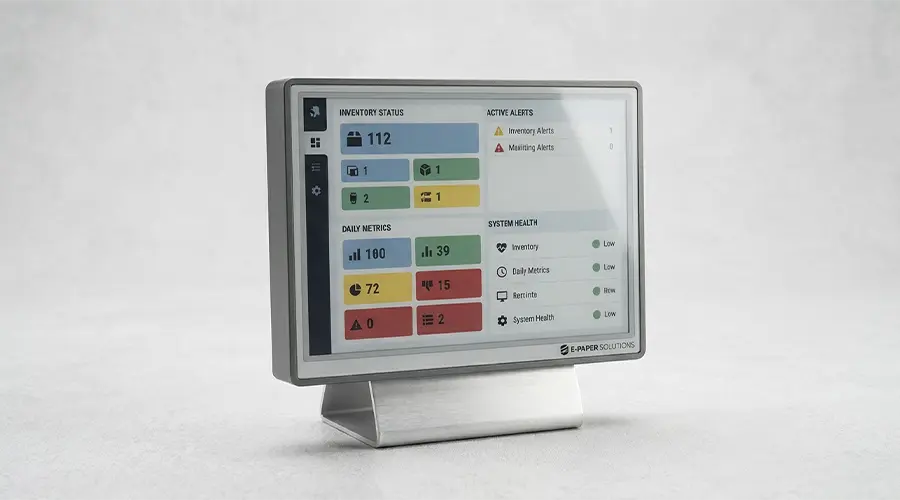
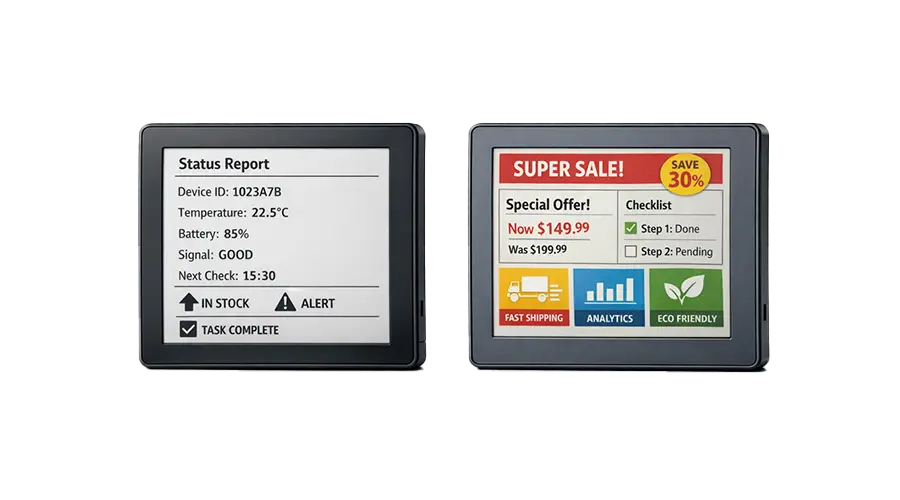

コメントを書く
このサイトはhCaptchaによって保護されており、hCaptchaプライバシーポリシーおよび利用規約が適用されます。