

The concept of television has undergone a radical transformation. It is no longer a static piece of furniture anchored to your living room wall by a mess of cables. In 2026, television is fluid, mobile, and battery-powered. The rise of the Portable Smart TV has liberated entertainment, allowing us to consume high-definition content in RVs, campsites, kitchens, and even during power outages.
This is not just a review; it is a comprehensive encyclopedia on the subject. Whether you are a tech enthusiast looking for the latest panel specs or a parent looking for a backseat entertainment system, this guide covers it all.

Table of Contents
- 1. The Evolution of Portable Entertainment
- 2. Deep Dive: Technical Specifications
- 3. Understanding Panel Technology (IPS vs VA)
- 4. Battery Tech & Power Management
- 5. Use Cases: Who Needs This?
- 6. Gaming on the Go
- 7. Installation & Accessories
- 8. Troubleshooting Guide
- 9. Frequently Asked Questions (FAQ)
1. The Evolution of Portable Entertainment
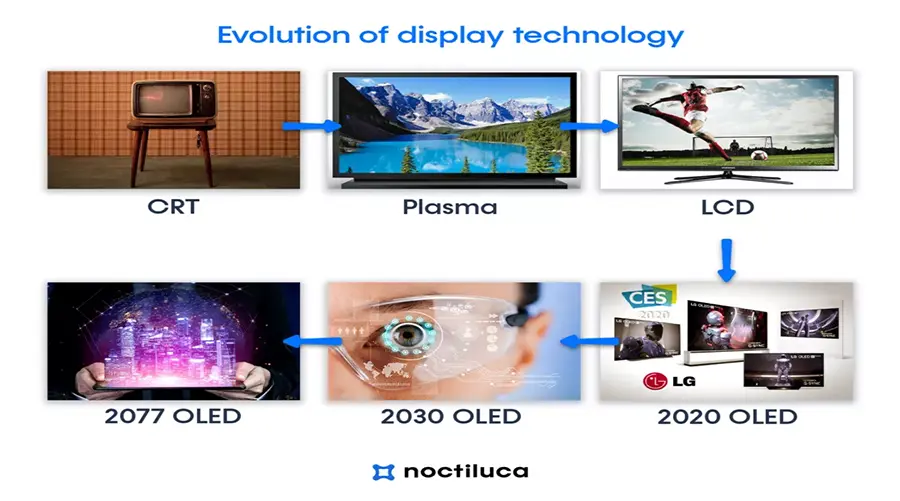
To appreciate the technology of 2026, we must look back. The portable TV was once a grainy, black-and-white 5-inch CRT device that consumed D-cell batteries at an alarming rate. The "Watchman" era of the 80s and 90s was revolutionary but limited.
Today, the convergence of high-density Lithium-Ion batteries, energy-efficient LED backlighting, and miniaturized system-on-chip (SoC) processors has created a new category. These aren't just "small TVs"; they are fully functioning entertainment computers.
Modern portable TVs now serve three distinct functions:
- The Media Streamer: Running Android or WebOS to stream Netflix/YouTube via Wi-Fi.
- The Broadcast Receiver: Using ATSC/DVB tuners to catch free-to-air signals.
- The External Monitor: Acting as a secondary display for laptops and consoles via HDMI/USB-C.
2. Deep Dive: Technical Specifications
When shopping for a portable TV, the spec sheet can be overwhelming. Let's break down the jargon into actionable advice.
Resolution: Why 1080p is the Sweet Spot
You might see 4K portable monitors, but for a 14-16 inch screen, 1080p (Full HD) is the optimal choice. At this screen size, the human eye struggles to distinguish between 1080p and 4K from a normal viewing distance. Furthermore, driving a 4K screen requires significantly more battery power, reducing your viewing time by up to 30%.
Brightness (Nits)
Since portable TVs are often used outdoors, brightness is critical. Standard indoor laptops are usually 250 nits. For a portable TV, look for at least 300-400 nits. This ensures the screen remains visible even under a camping awning or in a bright kitchen.

3. Understanding Panel Technology: IPS vs. VA vs. TN
The type of panel determines your viewing experience. This is the most important hardware choice you will make.
| Panel Type | Pros | Cons | Best For |
|---|---|---|---|
| IPS (In-Plane Switching) | Wide viewing angles (178°), Accurate colors | Lower contrast ratio (blacks look dark gray) | Recommended: Group viewing, Camping, General use |
| VA (Vertical Alignment) | High contrast, Deep blacks | Narrow viewing angles (colors shift when viewed from side) | Solo movie watching in dark rooms |
| TN (Twisted Nematic) | Cheap, Fast response time | Poor colors, terrible viewing angles | Budget gaming (Avoid for TV use) |
4. Battery Tech & Power Management
The freedom of a portable TV relies entirely on its power source. In 2026, most high-end models utilize Lithium-Polymer (Li-Po) cells due to their lightweight and safe form factors.
Understanding mAh and Wh
Don't just look at milliamp-hours (mAh). Look at Watt-hours (Wh). A 16-inch TV typically consumes about 10-15 Watts per hour depending on brightness.
- Battery Capacity: Look for at least 6000mAh (at 7.4V) or roughly 45Wh.
- Runtime: This should translate to 3-5 hours of video playback.
5. Use Cases: Who Needs This?
The "Van Life" & RV Community
For RV owners, power consumption is everything. A standard 32-inch TV plugged into an inverter wastes energy converting DC to AC. A portable TV is native DC (often charging via USB-C or 12V), making it incredibly efficient. Plus, you can move it outside for movie nights under the stars.
Emergency Preparedness
When hurricanes or snowstorms knock out the power grid, internet and cable often go down too. A portable TV with a built-in ATSC Tuner allows you to pull broadcast signals from the airwaves. This provides vital access to local news, weather reports, and emergency broadcasts when cellular networks are congested.
The Kitchen Companion
Tablets are great, but they are small and fragile. A 16-inch portable TV with a kickstand is robust and loud enough to be heard over the sound of frying pans and exhaust fans. It’s the ultimate recipe display and background noise machine.

6. Gaming on the Go
Portable TVs have become a secret weapon for gamers. With the rise of the Nintendo Switch, Steam Deck, and portable consoles, having a larger 16-inch screen transforms the experience.
Input Lag: Modern portable TVs have reduced input lag significantly. Look for a "Game Mode" in the settings which bypasses some image processing to ensure your button presses register instantly on screen.
Connectivity: Ensure the TV supports USB-C DP Alt Mode. This allows you to connect a Switch or Steam Deck with a single cable (no dock required), powering the screen and transmitting video simultaneously.
7. Installation & Accessories
To get the most out of your device, consider these accessories:
- High-Gain Antenna: The small antenna included in the box is fine for cities. For rural areas, buy a magnetic base amplified antenna.
- PD Power Bank: A standard phone charger won't charge these TVs fast enough. You need a Power Bank that supports Power Delivery (PD) output of at least 18W or 30W.
- VESA Mount Adapter: Some portable TVs have VESA holes (75x75mm). You can mount them on articulating arms in your kitchen or car.
8. Troubleshooting Guide
Here are common issues and how to fix them:
Issue: "No Signal" when scanning channels.
Fix: Switch the input to "TV" or "Air". Ensure the antenna is near a window. Run the "Auto Scan" function in the menu. If you are in a metal building or RV, place the antenna outside.
Issue: Sound is distorted at high volume.
Fix: Portable TV speakers are small. Go into Audio Settings and turn off "Bass Boost" or "Surround Sound" simulation, which can overdrive small drivers. Alternatively, use the 3.5mm jack or Bluetooth.

9. Frequently Asked Questions (FAQ)
Click on the questions below to reveal detailed answers.
Do these TVs require a monthly subscription?
No. The TV hardware itself requires no subscription. If you use the antenna to watch local broadcast channels (like NBC, CBS, FOX, ABC), it is 100% free. However, if you use the smart features to watch Netflix, Hulu, or Disney+, you will need your own subscription to those specific streaming services.
Can I connect my iPhone or Android phone to the screen?
Android: Yes, if your phone supports "Desktop Mode" or video out via USB-C (like Samsung DeX), it works with a single cable.
iPhone (15/16 and newer): Yes, via USB-C direct connection.
Older iPhones (Lightning): You will need a "Lightning to Digital AV Adapter" (HDMI adapter) to connect.
How long does it take to fully charge?
This depends on the charger used. With the included wall adapter, it typically takes 3-4 hours. If you use a high-speed 45W USB-C PD charger, you can reduce this time to about 2 hours. We recommend charging it overnight before a trip.
Is the screen waterproof?
Generally, no. While some rugged models have water-resistant casings, the screen surface and ports are vulnerable to moisture. Do not leave the TV out in the rain or use it near a bathtub without protection.
Can I play video files from a USB stick?
Yes. Most models have a USB-A port and a built-in media player. They typically support MP4, MKV, AVI, and MOV files. This is a great feature for watching movies "offline" without needing any internet connection.
Ready to Upgrade Your Entertainment?
Experience the freedom of portable TV today. Whether for camping, emergencies, or just convenience, it's the gadget you didn't know you needed.
Shop The Collection

Leave a comment
Este site está protegido pela Política de privacidade da hCaptcha e da hCaptcha e aplicam-se os Termos de serviço das mesmas.