
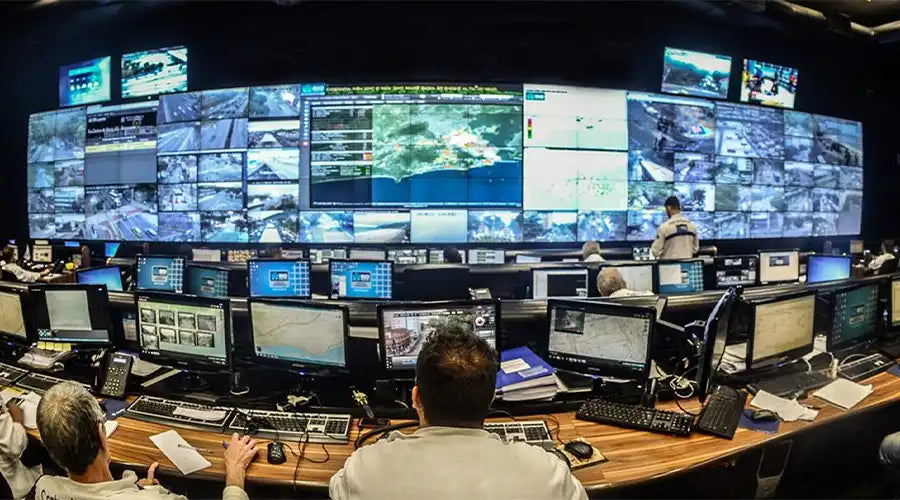
A practical guide to how stretched bar LCD displays work, what makes them different from conventional screens, and where they create the most value in retail, transportation, smart buildings, hospitality, and industrial systems.
1. What Is a Stretched Bar LCD Display #
1.1 Definition of Stretched Bar LCD
A stretched bar LCD, also called a bar LCD, ultra-wide LCD, or shelf-edge LCD, is a commercial display format with an ultra-wide aspect ratio and a narrow vertical height. It is designed to present linear information and branded content in constrained spaces such as shelf edges, door frames, platform strips, equipment doors, and control panels.
- Meaning of stretched or bar format: The panel uses a much longer horizontal edge and a much shorter vertical edge compared with standard 16:9 screens.
- Typical aspect ratios: Common examples include 16:3, 32:9, 21:9, 48:9, and customized project-specific formats.
- Difference from standard LCDs: It is better suited to linear content, compact integration, and embedded installation scenarios.
1.2 How Stretched Bar LCD Panels Are Manufactured
- Cut-from-mother-glass production: Standard panel structures are adapted into stretched formats with corresponding backlight and driver adjustments.
- Custom panel design: Large-volume projects may use dedicated glass and backlight structures for better consistency and integration.
- TFT LCD with LED backlight: The display still relies on familiar LCD architecture, including TFT array, backlight system, polarizers, and optical layers.
- Commercial-grade vs consumer-grade: Commercial models focus more on continuous operation, durability, and environmental stability.

2. Core Functions of Stretched Bar LCD Displays #
Stretched bar LCD displays are designed for ultra-wide information delivery, long-duration operation, and dynamic content updates. Their physical format allows them to integrate cleanly into narrow spaces while maintaining commercial-grade usability.
2.1 Ultra-Wide Visual Information Display
- Linear presentation: Well suited for timelines, queues, status bars, schedules, and horizontally structured data.
- Multi-zone layouts: Can combine icons, text, product imagery, and motion elements within a single strip.
- Scrolling and ticker functions: Useful for schedules, notices, stock updates, and alert information.
2.2 High-Brightness Advertising and Information Output
- Typical brightness range: Many commercial models fall in the 400 to 1200 nit range, with stronger options for brighter spaces.
- Readability in bright environments: Helps maintain visibility in shopping malls, stations, and open commercial interiors.
- Optical treatment: Anti-glare and anti-reflection options help reduce reflections and improve readability.
2.3 Space-Saving and Embedded Display Function
- Narrow-height design: Ideal for shelf edges, cabinet doors, lift portals, and compact equipment.
- Flush integration: Supports embedded installation in kiosks, furniture, and industrial equipment.
- Low visual intrusion: Delivers useful information without overpowering the surrounding design.
2.4 Real-Time Dynamic Content Updating
- USB playback: Suitable for simple standalone content scenarios.
- Android-based systems: Can run content management clients and scheduling tools directly on the display platform.
- Networked CMS support: Enables remote updates, centralized control, and data-connected content workflows.
2.5 24/7 Commercial Operation Capability
- Backlight life design: Commercial platforms are built for longer continuous operating cycles.
- Thermal management: Heat spreading, brightness control, and protection logic help maintain stability.
- Operational resilience: Features such as auto power-on, watchdog recovery, and offline caching reduce maintenance risk.

3. Key Technical Features That Enable These Functions #
Actual performance depends on the combination of panel resolution, optical behavior, interface support, system architecture, and any touch or interactive layer.
3.1 Custom Resolutions and Aspect Ratios
- Common resolutions: Examples include 1920 × 120, 1920 × 360, 1920 × 540, 2880 × 540, 3840 × 720, and similar custom formats.
- Pixel mapping: Ultra-wide layouts should be designed specifically for this format instead of simply cropping 16:9 assets.
- OEM flexibility: Some projects require customized timing, EDID behavior, or firmware handling.
3.2 Display Performance Characteristics
- Contrast: Native panel contrast matters, but perceived readability also depends on reflectance and brightness.
- Viewing angle: IPS panels are common where side viewing is important, such as in aisles and public traffic spaces.
- Color consistency: Factory calibration and white-point consistency are important for multi-screen deployments.
3.3 Interface and Control Options
- Signal interfaces: HDMI and DisplayPort are common for external players, while LVDS and eDP are used in embedded systems.
- Mainboard choices: Android or ARM platforms are common, while x86 may be used for heavier integration or playback requirements.
- Connectivity: USB, LAN, Wi-Fi, 4G, and control interfaces may be selected depending on project needs.
3.4 Touch and Interactive Capabilities
- PCAP touch: Optional projected capacitive touch is available for kiosk and HMI scenarios.
- Interaction examples: Product lookup, room booking, selection filters, machine settings, and workflow confirmation.
- Ultra-wide UI planning: Interfaces should be designed carefully because vertical gesture space is limited.
4. Application Scenarios of Stretched Bar LCD Displays #
These displays create value when information must be shown clearly in narrow, elongated, or embedded physical spaces.
4.1 Retail Shelf-Edge Digital Signage
- Typical locations: Supermarkets, pharmacies, convenience stores, and specialty retail chains.
- Dynamic pricing and promotions: Can support real-time updates linked to pricing or stock systems.
- Paper label replacement: Helps reduce manual label handling and supports richer product information.
4.2 Retail Advertising and Brand Promotion
- Aisle headers and end-caps: Reinforces campaign messaging without blocking sightlines.
- Checkout and waiting areas: Useful for membership offers, add-on sales, and short promotional messaging.
- Content strategy: Rankings, reviews, comparison bars, and horizontal motion graphics work well in this format.
4.3 Restaurant and QSR Menu Board Extensions
- Menu strips: Can show bestsellers, bundles, nutrition, or allergen information around the main menu boards.
- Live updates: Useful for sold-out management, price changes, or daypart-specific rotation.
- Campaign support: Countdown messaging and limited-time offers fit naturally in a bar format.
4.4 Transportation and Public Information Systems
- Rail, metro, and bus systems: Used for schedules, transfer guidance, occupancy information, and notices.
- Platform strips: Helpful for synchronized public information and zoned alerts.
- Wayfinding: Effective in long corridors, bridges, and airport circulation spaces.
4.5 Commercial Buildings and Smart Spaces
- Elevators and lobbies: Used for floor guidance, announcements, and embedded communication panels.
- Tenant directories: Can be linked to bookings, events, or smart building systems.
- Meeting rooms: A door-side bar display can show occupancy and scheduling status clearly.
4.6 Industrial and Embedded Applications
- Status bars: Displays KPIs such as throughput, temperature, speed, or system condition.
- Production lines: Can support takt time, andon messages, and material requests.
- Control cabinets: Useful where width is available but vertical panel space is limited.

5. Typical Industries Using Stretched Bar LCD Displays #
- Retail and FMCG: Shelf edges, cooler doors, brand displays, and end-cap installations.
- Transportation and smart city: Platforms, corridors, concourses, and in-vehicle information systems.
- Hospitality and food service: Quick-service restaurants, cafes, hotels, and guest communication zones.
- Advertising and DOOH integration: Public venues, campuses, malls, and commercial complexes.
- Industrial automation and manufacturing: Andon systems, cabinet doors, monitoring panels, and control extensions.
6. Advantages of Stretched Bar LCD vs Other Display Solutions #
From a project-selection perspective, these displays are usually evaluated against conventional LCDs, LED panels, and OLED-based solutions.
6.1 vs Standard LCD Displays
- Better space utilization: Fits where 16:9 displays would be visually intrusive or physically impractical.
- Content suitability: Better aligned with linear information and ticker-style presentation.
- Cleaner integration: Supports more elegant embedded installation in architecture and equipment.
6.2 vs LED Display Panels
- Higher close-range clarity: LCD remains strong for close viewing and text readability.
- Cost efficiency at smaller scale: Often more practical for shorter distances and compact display lengths.
- Maintenance and power balance: Can offer a simpler operating profile for many indoor commercial deployments.
6.3 vs OLED Bar Displays
- Commercial durability: LCD is often favored for long-duration high-brightness operation.
- Supply and cost advantages: More mature supply chains can reduce risk in B2B projects.
- Use-case fit: LCD is often the better choice for bright commercial environments and static information applications.

7. How to Choose the Right Stretched Bar LCD for Your Project #
Selection flow: Define the scenario and viewing distance, derive the required size and resolution, validate brightness and thermal behavior, choose the system form, and then confirm customization scope and lifecycle support.
7.1 Size and Resolution Selection
- Viewing distance: Text-focused content generally needs stronger pixel density at closer range.
- Content type: Pricing and detailed UI require different planning from branding or motion graphics.
- Mechanical constraints: Installation width, bezel allowance, and cutout design all affect the final size decision.
7.2 Brightness and Environment Matching
- Indoor use: Mid-range brightness often covers standard retail and office environments.
- High-ambient areas: Stronger brightness with optical treatment and good thermal planning is important.
- Thermal validation: Enclosure airflow, mounting conditions, and ambient temperature should be tested early.
7.3 System and Integration Requirements
- Standalone or networked: Smaller sites may use local playback, while larger fleets usually need centralized management.
- Android or external player: Android all-in-one simplifies deployment, while external platforms may fit complex enterprise needs better.
- Power and cabling: Routing, service access, theft protection, and installation method should all be planned in advance.
7.4 Customization and OEM Support
- Mechanical customization: Includes housing, bezel, glass, logo, color, and mounting adaptation.
- Firmware customization: May include auto-boot behavior, EDID settings, brightness policy, and monitoring support.
- Lifecycle management: Locked BOM, change notices, and long-term service planning are valuable for large rollouts.
8. Future Trends of Stretched Bar LCD Displays #
- Higher brightness with lower power: Backlight efficiency and adaptive dimming continue to improve.
- Thinner bezels and deeper integration: More systems are combining display, computing, power, and sensors in one platform.
- Smarter CMS and AI workflows: Data-driven content automation and optimization are becoming more important.
- IoT integration: Smart retail and intelligent building systems increasingly connect displays with sensors and operational platforms.

9. Conclusion: Why Stretched Bar LCD Displays Are Ideal for Modern Visual Communication #
Stretched bar LCD displays combine ultra-wide geometry, compact vertical footprint, and commercial-grade operating stability. They are especially effective where information must be displayed clearly without occupying large visual or physical space. Their value is strongest in shelf-edge communication, transportation information systems, smart buildings, hospitality environments, and industrial control applications.
Buyer checklist recap:
- Start with the scenario and viewing distance, then define size and resolution.
- Match brightness to ambient conditions and validate thermal headroom.
- Choose the right system architecture and plan power and cable routing early.
- Lock customization scope and lifecycle terms to reduce long-term operating risk.
Appendix — Quick Spec and Integration Checklist #
| Item | Recommendation for B2B Projects | Notes |
|---|---|---|
| Aspect Ratio and Resolution | Custom formats such as 1920 × 540, 3840 × 720, or project-specific layouts | Should be matched to content design and target viewing distance |
| Brightness | Indoor mid-range brightness or higher output for brighter environments | Optical treatment and thermal planning are important for long-duration use |
| Viewing Angle | Wide-angle IPS is often preferred | Useful where viewers move laterally past the display |
| Interfaces | HDMI or DisplayPort external, or embedded Android with internal panel interfaces | Should be selected based on playback and integration requirements |
| Connectivity | USB, LAN, Wi-Fi, 4G, or API-linked content systems | Supports remote control and fleet-level management |
| Touch | Optional PCAP touch for interactive projects | Interface design should reflect the short vertical dimension |
| Power | Typically DC-based with power sizing matched to peak operating load | Service access and concealed routing should be planned early |
| Reliability | Commercial features such as watchdog, auto-start, and recovery support | Helps reduce downtime and service cost |
| Lifecycle | Locked BOM, long-term support, and replacement planning | Important for enterprise and multi-site rollouts |
These are general planning guidelines. Final specification should always be validated against the actual environment, structure, software platform, and budget.
FAQ — Stretched Bar LCD #
What sizes and resolutions are most popular for shelf-edge and door-frame installs?
Projects commonly use bar LCD sizes and resolutions that balance close-range readability with available installation width. The final selection should be tested with actual content and real viewing distance.
How bright should a stretched bar LCD be for semi-outdoor environments?
Semi-outdoor installations generally need higher brightness, optical anti-glare treatment, and stronger thermal management than standard indoor projects.
Can I run these displays 24/7? What affects lifetime?
Yes, commercial models are designed for continuous operation. Actual lifetime depends on panel quality, backlight design, operating brightness, thermal control, and ambient conditions.
What playback and control options are available?
Common options include USB playback, embedded Android platforms, and external players connected through standard video interfaces. Larger deployments usually benefit from CMS-based centralized management.
Does ultra-wide content require special design?
Yes. Content should be designed specifically for the ultra-wide canvas instead of simply reusing cropped 16:9 layouts.
LCD vs LED vs OLED bar displays: which should I choose?
The answer depends on viewing distance, brightness needs, content type, budget, and deployment duty cycle. LCD is often the practical choice for close-view commercial applications and 24/7 operation.
Is touch supported on stretched bar LCDs?
Yes, optional projected capacitive touch is available for many projects, especially in kiosks, booking panels, and industrial interfaces.
What about power, cabling, and mounting?
These should be planned early. Cable routing, service access, structural support, theft prevention, and enclosure airflow can all affect final installation quality.
How do you ensure long-term supply and consistency for enterprise rollouts?
Suppliers should be evaluated on lifecycle management, BOM stability, replacement policy, calibration consistency, and long-term support capability.


댓글 남기기
이 사이트는 hCaptcha에 의해 보호되며, hCaptcha의 개인 정보 보호 정책 과 서비스 약관 이 적용됩니다.