
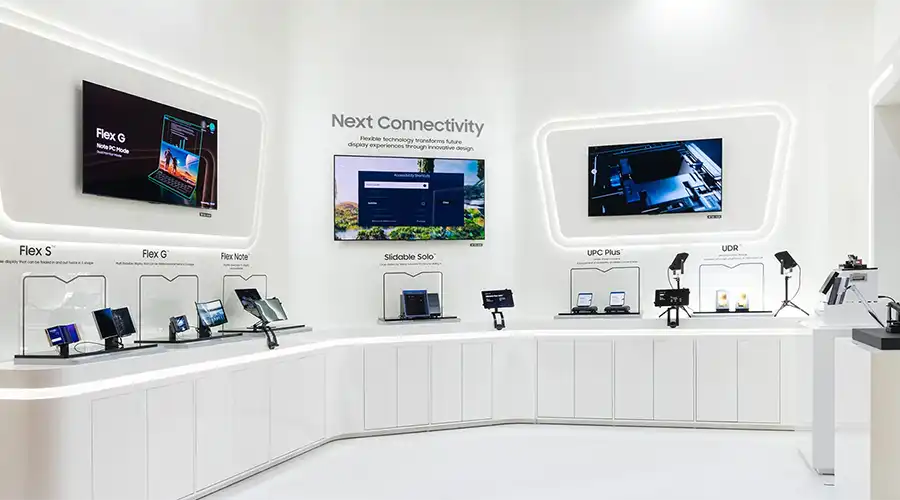
Technical Guide
A structured overview of OLED monitor technology, materials, performance, applications, and future development trends
Introduction
OLED computer displays represent a premium class of monitor technology built around self-emissive pixels, fast response, and strong contrast performance. As computing workloads continue to expand across gaming, content creation, engineering, finance, and visual diagnostics, demand for higher visual accuracy and better motion performance continues to grow.
OLED technology addresses these requirements by enabling true black levels, wide color capability, thin form factors, and low persistence. This guide covers the core technical principles, display structure, performance characteristics, application fit, and future direction of OLED computer displays.
How OLED Technology Works
OLED stands for Organic Light Emitting Diode. Unlike LCD panels, which depend on a backlight and liquid crystal modulation, OLED pixels generate light directly. This self-emissive architecture allows each pixel to be individually turned on or off, enabling true black levels and very high contrast.
Within each pixel, organic emissive materials are placed between electrodes. When voltage is applied, electrons and holes recombine in the emissive layer and emit photons. This direct light generation is a major reason OLED displays achieve fast response and strong perceived image quality.

Materials and Backplane Technology
The performance of an OLED computer display depends strongly on its emissive materials, backplane design, encapsulation, and long-term stability strategy.
- Emissive materials: blue lifetime remains one of the most challenging areas
- Tandem OLED structures: improve efficiency and lifetime by stacking emissive layers
- LTPS backplanes: support higher drive performance for dense, high-resolution panels
- Oxide TFT backplanes: provide lower leakage and are useful for larger formats
- Encapsulation layers: protect organic materials from oxygen and moisture
These engineering developments have helped modern OLED monitors become viable for more demanding computer display environments.

Key Benefits of OLED Computer Displays
- Perfect blacks: pixel-level light control creates deep black performance
- High contrast: useful in HDR and visually demanding workflows
- Wide color capability: valuable for content creation and premium media
- Fast response: reduces blur and ghosting in motion
- High refresh support: suitable for advanced gaming and interactive use
- Thin profiles: possible because no separate backlight is required
- Dark-scene efficiency: beneficial in content patterns with lower average picture level

OLED vs LCD, Mini-LED, and MicroLED
OLED competes with LCD, Mini-LED LCD, and emerging MicroLED technologies. Each platform has different strengths in contrast, brightness, static-content tolerance, maturity, and cost.
| Feature | OLED | LCD or Mini-LED | MicroLED |
|---|---|---|---|
| Contrast ratio | Excellent | Moderate to strong depending on architecture | Excellent |
| Brightness | Strong | Very strong in advanced Mini-LED systems | Extremely strong potential |
| Response time | Excellent | Slower than OLED | Excellent |
| Maturity | Premium but established | Mainstream and cost-effective | Less mature and more expensive |
MicroLED may offer strong long-term potential, but OLED currently provides a practical balance of premium image quality, availability, and mature product implementation in computer displays.

Applications of OLED Computer Displays
OLED computer displays are used across many professional and consumer segments where visual performance matters.
- Creative work: photo editing, grading, animation, and design
- Gaming: high refresh, fast response, and strong HDR presentation
- Enterprise workstations: wide viewing angle and premium image quality
- Medical imaging: contrast-sensitive visual review tasks
- Industrial HMI: readable high-quality interfaces in specialized settings
- Education and mobile productivity: premium laptop display experiences
- AR and VR microdisplay ecosystems: related use of OLED-derived technologies
Technical Specifications
| Parameter | Typical Value or Range |
|---|---|
| Size range | 13 inch to 32 inch is common in computer-focused products |
| Resolution | Full HD, QHD, 4K, and development toward higher formats |
| Brightness | Varies by product class and panel structure |
| Color accuracy | Wide-gamut performance available in premium products |
| Refresh rate | From standard refresh up to high-refresh gaming-class levels |
| Response time | Very fast compared with LCD |
| Lifespan | Depends on use pattern, brightness, and panel design |
Performance Metrics
Evaluating OLED computer displays requires looking at several practical performance dimensions rather than only one specification.
- Contrast ratio: a major OLED strength in dark-scene rendering
- Response time: important for motion clarity
- Input lag: especially relevant for gaming and interactive work
- Color volume: saturation retention across luminance levels
- Uniformity: panel consistency across the display area
- Burn-in mitigation: protection features and usage behavior both matter

Future Trends in OLED Computer Displays
The OLED roadmap continues to evolve through material innovation, architecture changes, and manufacturing improvement.
- QD-OLED: supports stronger color and highlight performance
- MicroOLED: serves ultra-high-density near-eye applications
- Flexible and transparent OLED: expands mechanical possibilities
- Energy optimization: tandem structures can improve efficiency
- Cost reduction: new fabrication methods aim to broaden adoption
FAQ
Is OLED better than LCD for computer monitors?
For users who prioritize contrast, response time, and premium image quality, OLED is often the better choice. LCD can still be preferable in cost-sensitive or highly static-use environments.
Do OLED monitors suffer from burn-in?
Burn-in is possible, but current compensation systems and good usage habits reduce risk significantly in many normal usage scenarios.
Are OLED monitors good for gaming?
Yes. OLED is widely valued for fast response, high refresh support, strong contrast, and low-latency performance.
How long do OLED computer displays last?
Lifetime depends on panel design, brightness, content pattern, and thermal conditions. Real-life performance should be considered in the context of the intended workload.
What resolutions are available in OLED computer displays?
OLED computer displays are available in several resolution classes, including Full HD, QHD, and 4K, with higher-resolution development continuing.
Will OLED replace LCD and Mini-LED?
OLED is likely to remain strong in premium segments, while LCD and Mini-LED continue to serve brightness-focused and cost-sensitive parts of the market.

댓글 남기기
이 사이트는 hCaptcha에 의해 보호되며, hCaptcha의 개인 정보 보호 정책 과 서비스 약관 이 적용됩니다.